Consignor bank accounts
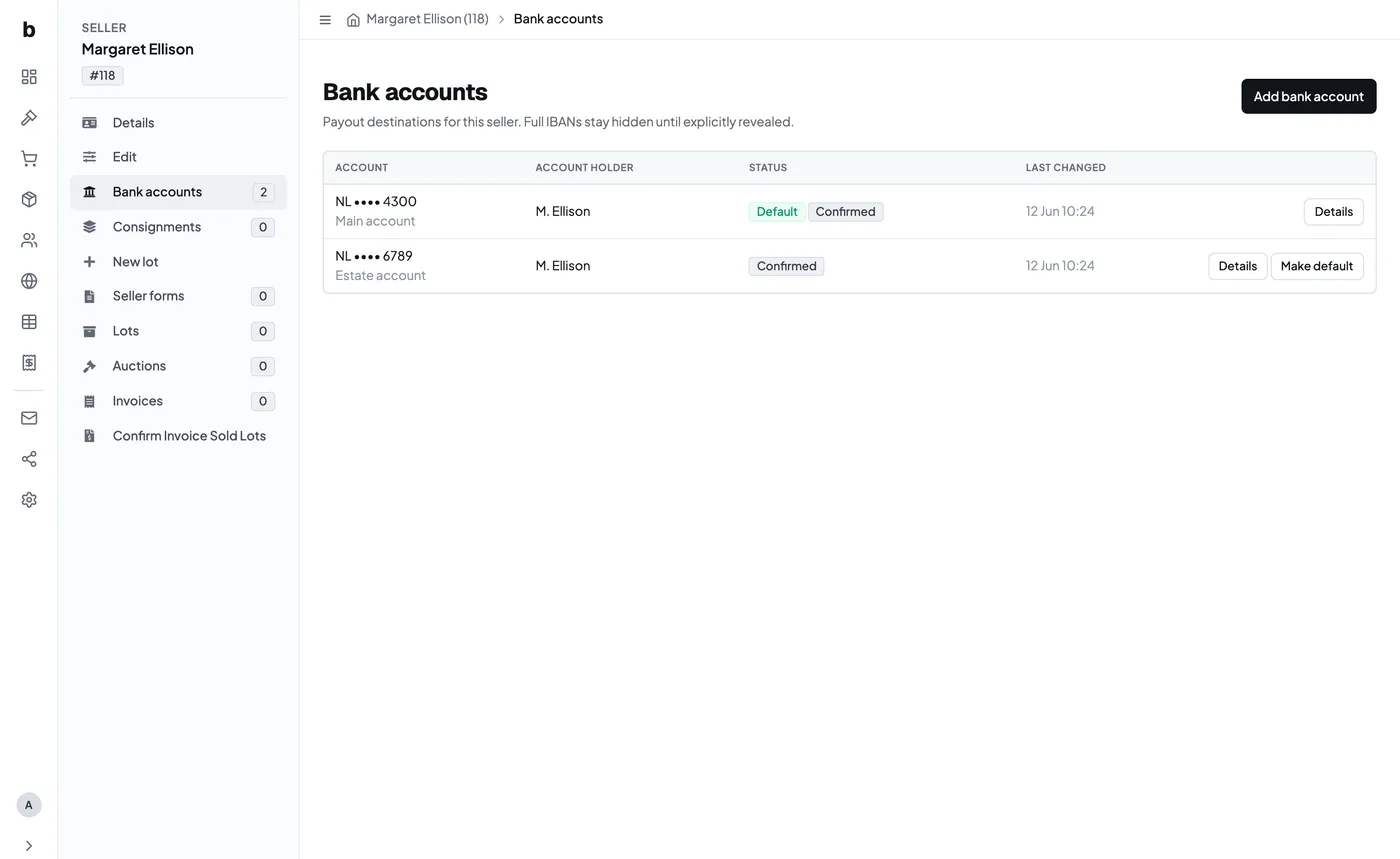
When you pay a consignor, the money has to go somewhere. That somewhere is a bank account on their record - and because it is the one piece of consignor data that moves money, Bidvise treats it differently from a phone number or an address.
Bank details are stored encrypted and shown masked, and when someone asks the interface to reveal a full IBAN, that is written down against the account. None of this gets in your way day to day: adding an account takes one form, and after that the account simply sits there being the place the money goes.
One thing to know: the payout export is a working document and contains full IBANs, because that is what you pay from. Revealing is recorded; exporting is not. Treat the file the way you would treat any list of bank details.
Where they live
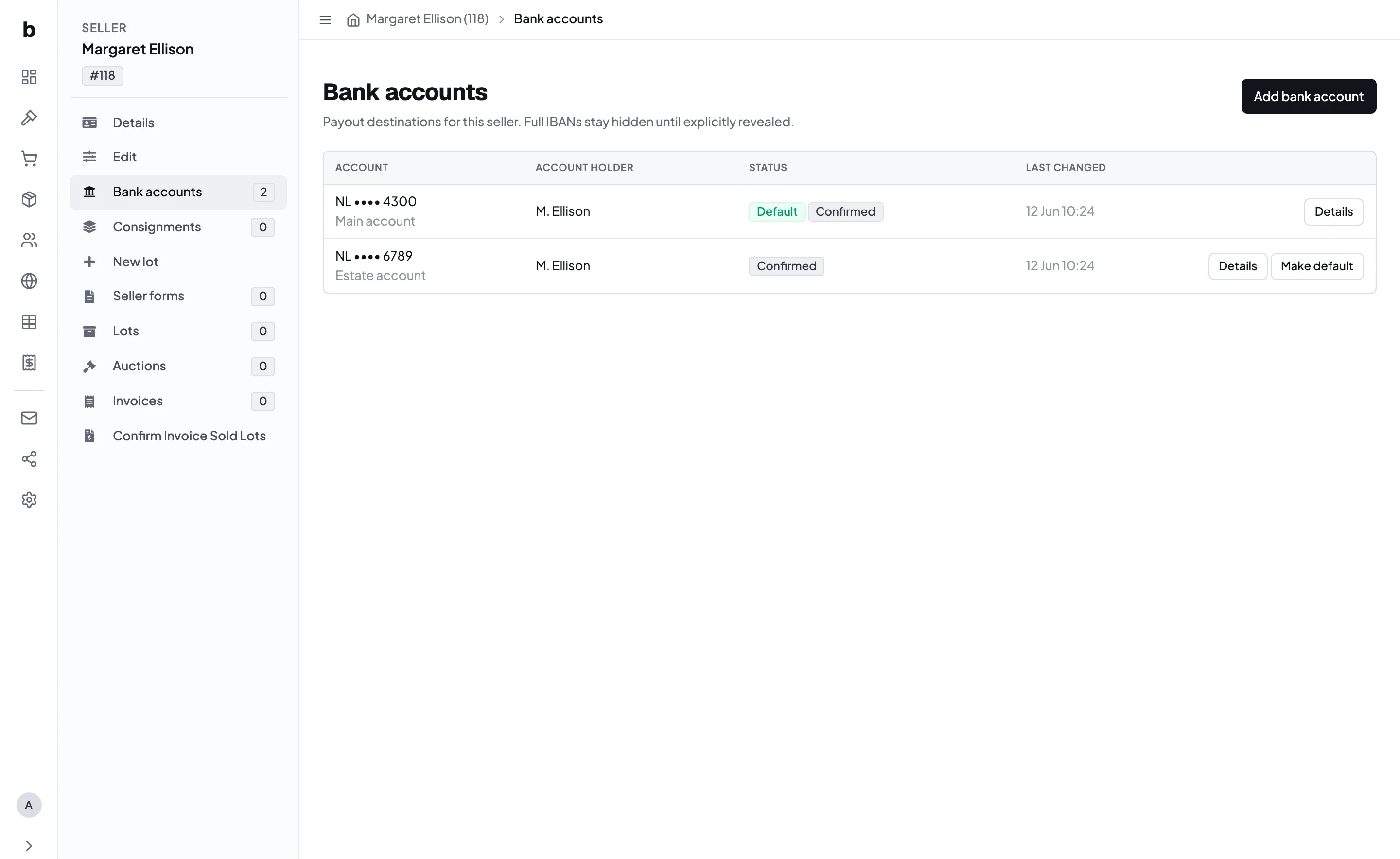
Open a consignor and choose Bank accounts in the record rail. The bank line on their Details page also shows the masked account and links straight through, so you can get there from wherever you happened to start.
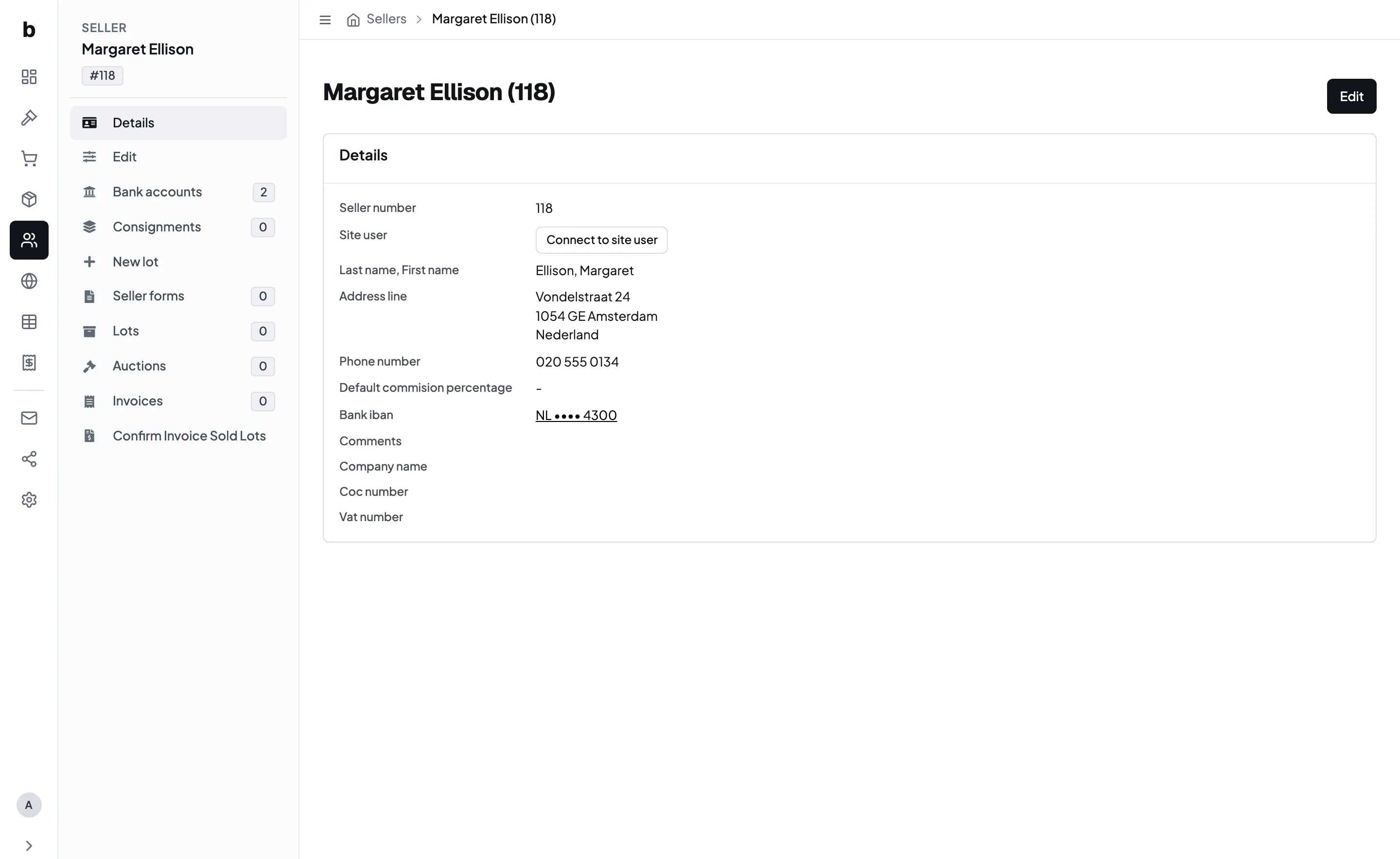
A consignor can have more than one account - a personal one and an estate account, say - and exactly one of them is the default, which is the one used when you pay them.
Adding an account
There are two ways in, and they exist for two different moments.
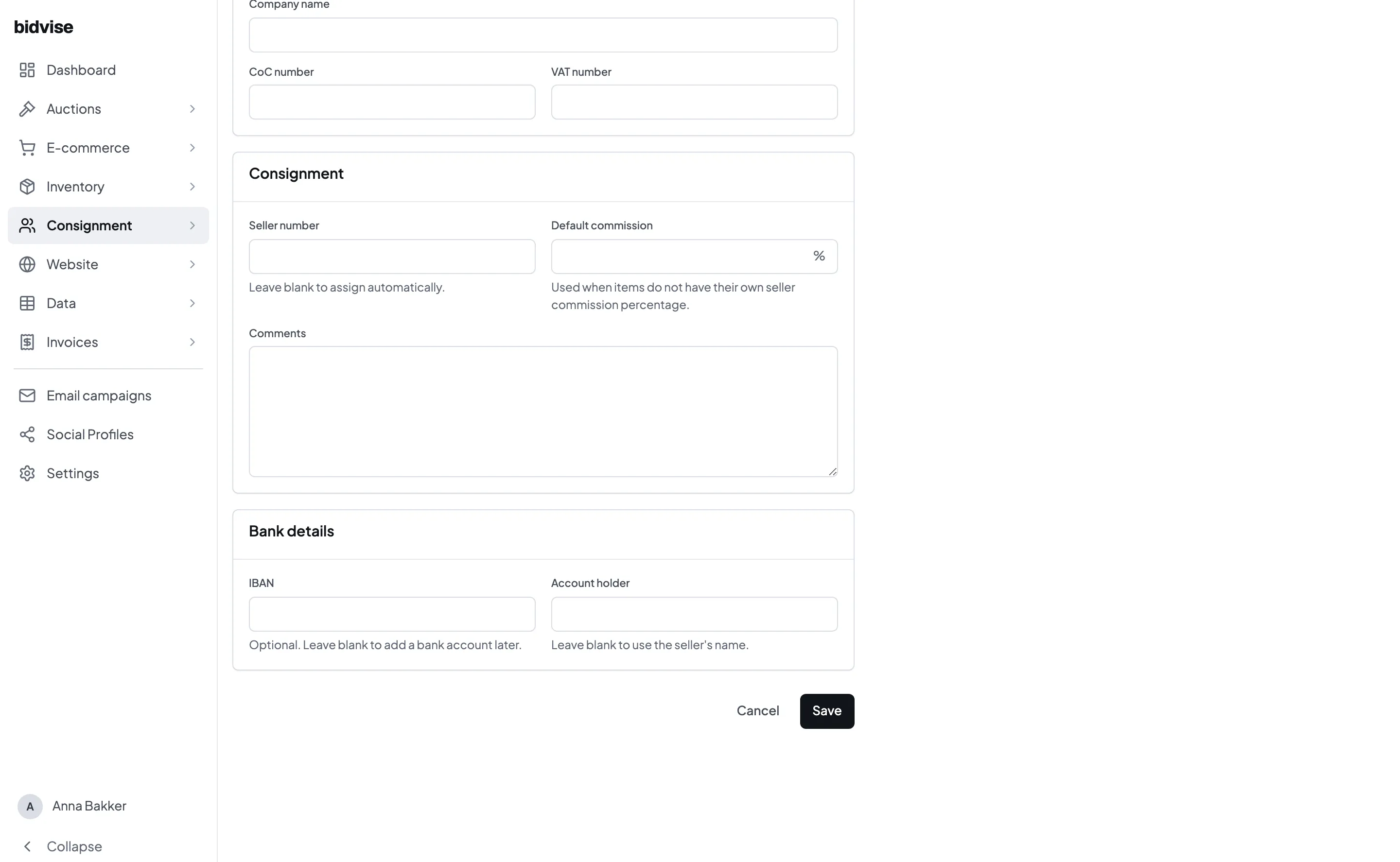
While creating the consignor. The new-consignor form has an optional bank section. If the person is standing in front of you with their details, put them in now rather than saving and coming back.
Afterwards, from Bank accounts. Use Add bank account for a consignor who already exists, or when you are adding a second account.
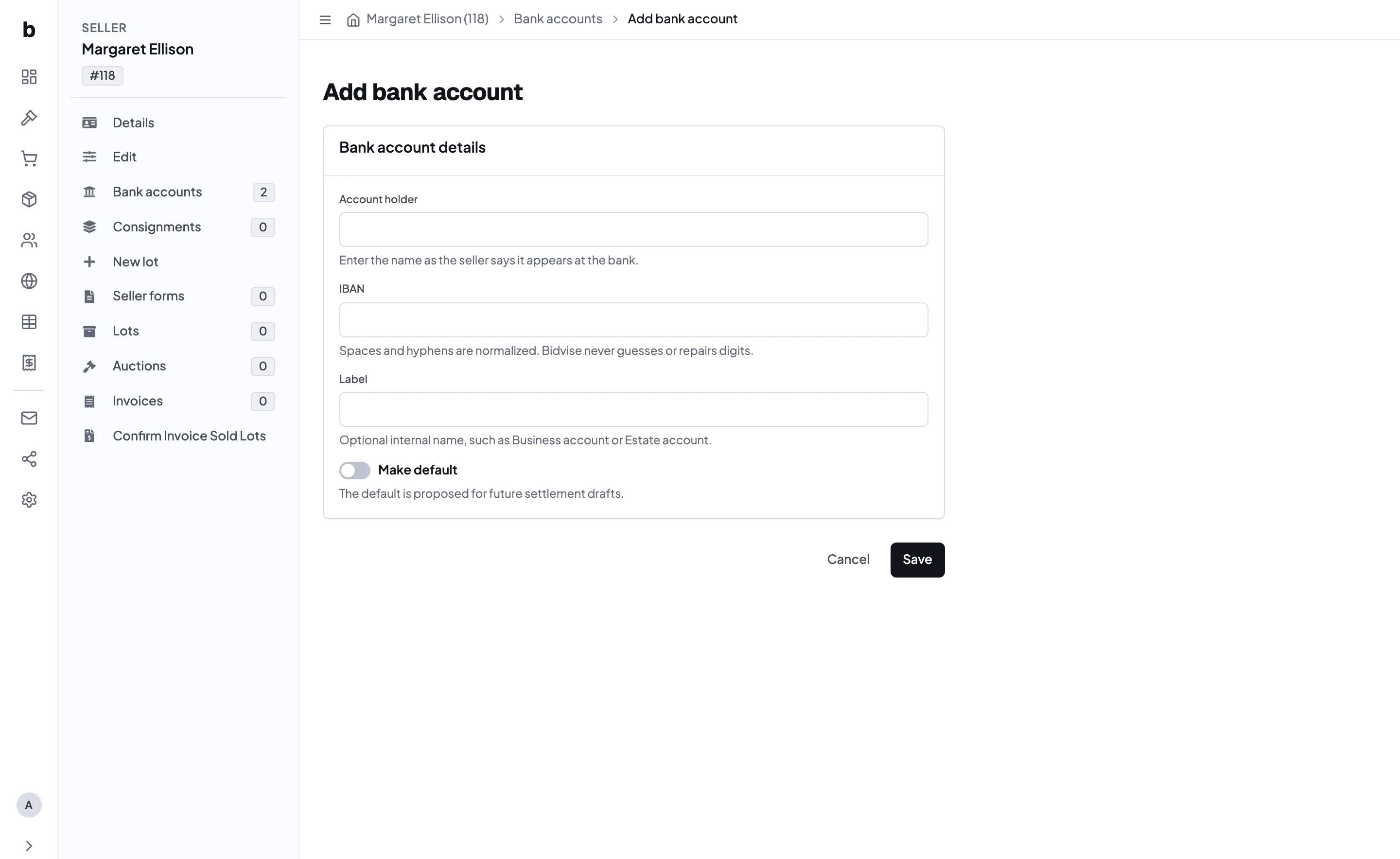
Two things to know while you type:
The IBAN is checked, not merely stored. Spaces and hyphens are tidied up for you, and the number is validated - both its structure and its check digits. A typo that produces an invalid IBAN is rejected on the spot rather than discovered on payment day. Bidvise never guesses or repairs a digit: if it does not check out, you get it back to correct.
The account holder is who the bank knows. Enter the name as it appears at the bank, which is not always exactly the consignor’s name in your records - an estate, a company, a spouse. On the new-consignor form you may leave it blank and the consignor’s own name is used; on the Add bank account form it is required, because by then there is no reason to guess.
The default, and what “confirmed” means
Two badges show up in the list, and they answer two different questions.
Default is the account a payout goes to. If a consignor has several, use Make default on the one that should receive money. Changing it is recorded.
Confirmed means somebody has actually looked at this number and vouched for it. An account you typed in yourself is confirmed the moment you save it - you are the person who read it off the letter, so there is nothing to double-check.
An account becomes unconfirmed again if its details are edited, because what was vouched for is no longer what is stored. That is the usual way you will meet an unconfirmed account.
This matters because only a confirmed default account is used for payouts. An unconfirmed account is not silently paid to.
Seeing a full IBAN
The list and the detail page show a masked number - country, then the last four digits. That is enough to tell two accounts apart, which is what you usually need.
When you genuinely need the whole number, use Reveal IBAN. Doing so records who looked and when, against that account.
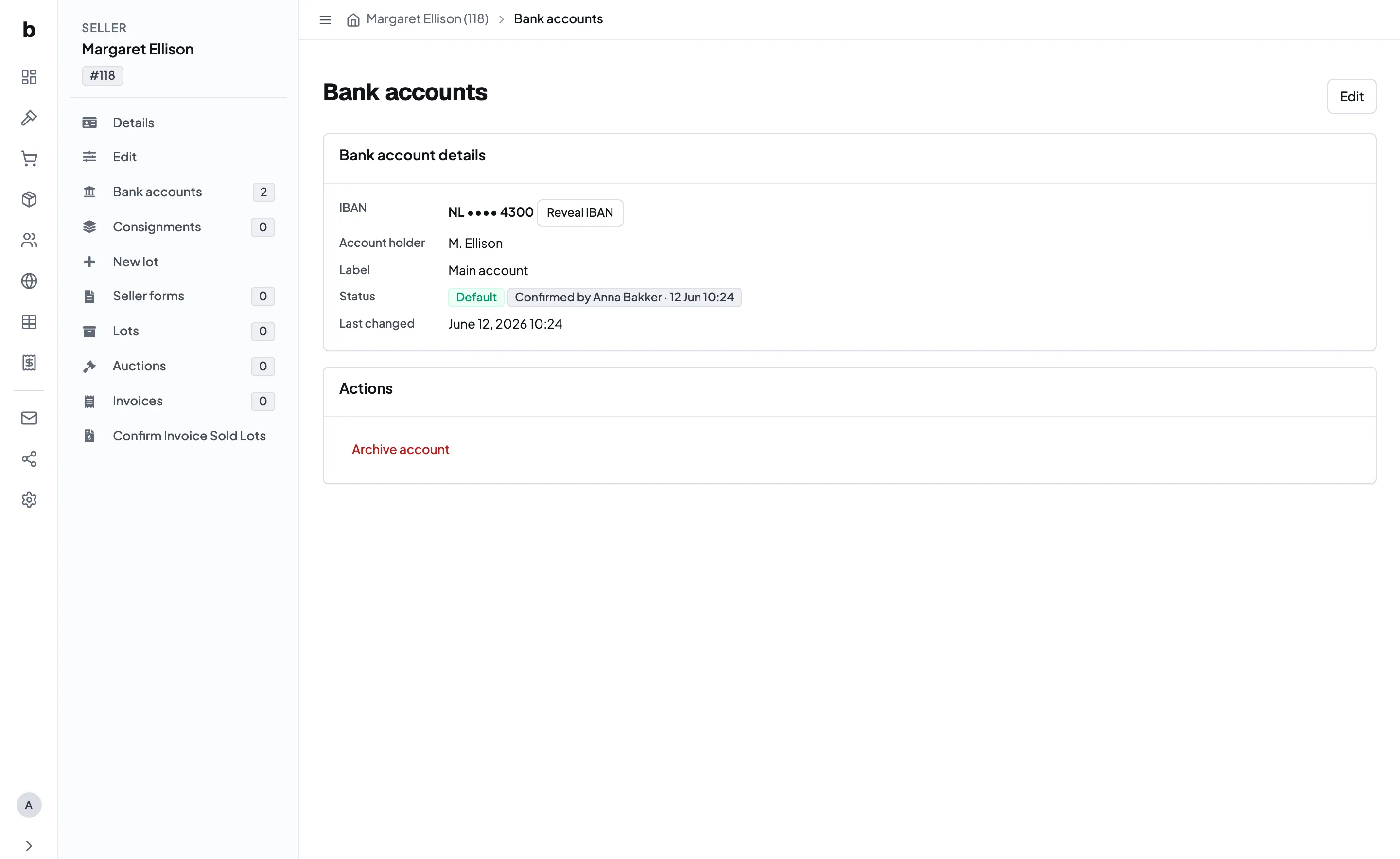
This is not there to make you feel watched. Bank details are the one field where a quiet, unnoticed look is worth being able to reconstruct afterwards - so revealing is an ordinary action with an ordinary record attached, and not something to avoid when you need it.
Changing and retiring accounts
Editing the details clears the confirmation. Change an IBAN or an account holder and the account goes back to unconfirmed, because what was vouched for is no longer what is stored. Confirm it again once you have checked the new number.
Closed accounts are archived, not deleted. Archiving takes the account out of use while keeping the record of the account itself and the changes made to it.
If you archive the default and the consignor has other accounts, one of those takes over - Bidvise prefers a confirmed account over an older unconfirmed one. If it was their only account, nothing takes over, and that consignor will come out of the payout export with no destination. Add and confirm the replacement first, then archive the old one.
If a consignor still has old-style bank details
Bank details used to be a single free-text field, and for consignors you have had a while they may still be stored that way. Those keep working for payouts, with two limits worth knowing: the value has to be on the consignor’s own record - one inherited from a linked website account is not used - and it stops being used as soon as that consignor has any structured bank account, confirmed or not.
So the moment you add an account for someone, add the right one. If you are not sure which of their old details is current, ask them before adding it rather than guessing.
Getting existing consignors moved across is something we handle with you rather than something you work through alone - talk to us and we will sort it out for your site.